In short
An office lobby screen earns its place when it answers the questions people have as they walk in: is my meeting room free, where do I go, what is happening today, and — increasingly — is the air in here okay. PlainSignage ships an “Office lobby” template that combines meeting-room status, a visitor welcome board, the day's agenda, weather, special days and a wellness nudge on one screen. It runs on any Android TV, Fire TV stick or browser, costs €14.99 per month for the first screen, and the visitor list can come straight from a Google Sheet your receptionist already keeps.
What a lobby screen should do (and not do)
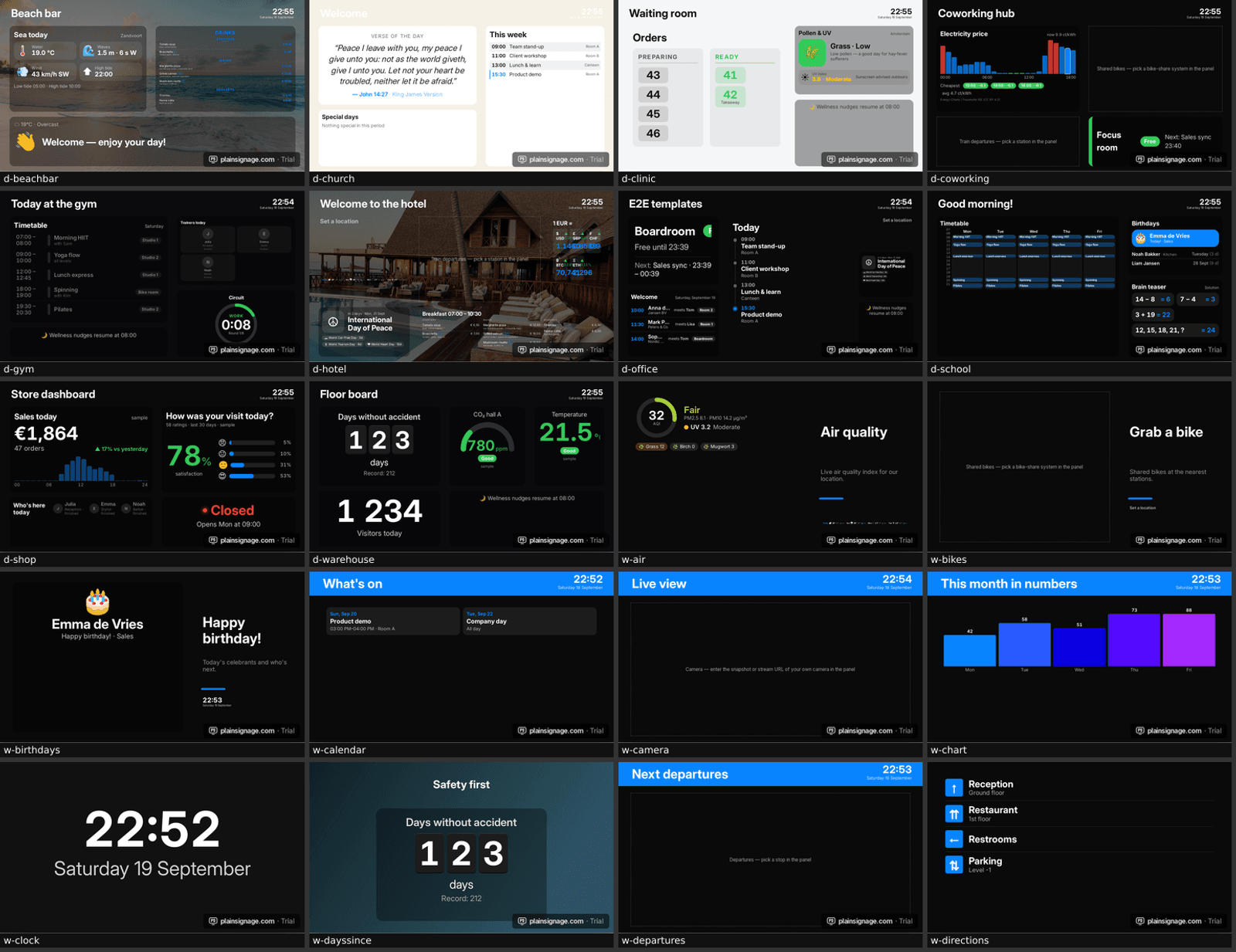
A reception screen is not a billboard. Visitors glance at it for three seconds while they take off their coat, so it has to answer practical questions instantly: which room, which floor, who is expecting me, is it going to rain when I leave. Staff walk past it twenty times a day, so it should also carry the things that change: today's meetings, birthdays, the coffee machine being serviced.
The best lobby dashboards are calm. One accent colour from your brand kit, large type, live data that updates itself, and nothing that scrolls or flashes. Everything below builds on the Office lobby template, which you can apply with one click and then rearrange.
- Meeting-room status: free or busy, next booking
- Visitor welcome board: who is expected today and where they go
- Agenda: today's meetings and events from your calendar
- Weather, special days and a wellness nudge for staff
- Optional: indoor climate (CO₂, temperature) from a sensor
Step 1 — pick the screen and the player
Any TV works. If the lobby already has a smart TV with Android TV or Google TV, install the PlainSignage player on it and you are done. Otherwise a €35 Fire TV stick or a small Android TV box behind the screen is enough; the player caches content locally and keeps running if the Wi-Fi hiccups. A tablet on the wall works too, via the same app or the browser player.
Mount the screen at eye height near the reception desk, landscape for a dashboard. Portrait works for a narrow visitor list; PlainSignage re-stacks the template automatically.
Step 2 — apply the Office lobby template
Create a playlist, add a slide and choose “Office lobby” under Dashboards in the template picker. The template places six widgets with your brand colours: a meeting-room card, an agenda, a visitor board, weather, special days and a wellness nudge. Every widget shows sample data until you connect it, so the screen looks finished from the first minute.
Try it on your own TV
14-day free trial, no credit card. Your first screen is live in three minutes.
Step 3 — connect the meeting-room status
The meeting-room widget reads the room's calendar as an ICS link and shows Free or Busy in full colour, plus the next booking. In Google Workspace open the room calendar → Settings → Integrate calendar → “Secret address in iCal format” and paste that link into the widget. In Microsoft 365 open the room calendar → Share → Publish → copy the ICS link. The widget refreshes every minute.
One lobby screen can show several rooms: add one widget per room, or use the strip design as a compact row. For a sign on the door itself, the same widget has a full-screen door design that turns the whole tablet green or red.
Step 4 — the visitor welcome board
Type today's visitors into the widget, or connect a Google Sheet so reception never has to open the console: File → Share → Publish to web → CSV, paste the link, done. Use the columns name, company, time, host, room and date (leave the date empty for “every day”). The board hides visits automatically an hour after their start time, so it never shows stale names.
Three designs: a board with times and hosts, cards, and a big “Welcome” layout that shows the next guests' names front and centre — the one that gets photographed and posted on LinkedIn.
Step 5 — live CO₂ or temperature (optional)
If you have an air-quality sensor, the sensor gauge shows the reading with good/fair/poor colour bands. Push values with one HTTP call — `POST /api/v1/metrics/co2` with an API key — from the sensor, a Raspberry Pi, Home Assistant or any automation tool; or point the widget at a JSON URL your sensor already exposes. Presets exist for CO₂, temperature, humidity, noise, occupancy and fine dust, each with sensible thresholds you can change. Details are in the developer docs.
Privacy: what to show about visitors
A lobby screen is visible to everyone who walks in, so apply data minimisation: first name and company are enough for a welcome, the host's first name tells the visitor who to ask for, and the room number tells them where to go. Skip surnames, phone numbers and reasons for the visit. Because entries disappear after the visit and the sheet only holds today's list, nothing lingers on screen. If you need to, note the practice in your visitor privacy notice; the GDPR principle you are following is purpose limitation.
Keep it fresh without extra work
The agenda and calendar widgets follow your calendar, the weather updates itself, special days rotate daily and the wellness nudge changes every 30 minutes. Set screen hours so the TV switches off at night and on before the first visitor. Add a second slide with company news or a KPI from a Google Sheet if you want variety, and let the playlist rotate every 20 seconds.
Cost for one lobby screen: a TV you already own or a €35 stick, plus €14.99 per month — every widget included, no add-ons. See pricing.
Frequently asked questions
Does the meeting-room status work with Google Workspace and Microsoft 365?
Yes. Both can publish a room calendar as an ICS link, which the widget reads every minute. Nextcloud, iCloud and any other calendar with an ICS export work the same way.
Can reception update the visitor list without logging in?
Yes. Connect a Google Sheet published as CSV; anyone editing the sheet updates the screen within two minutes. Entries with a past time disappear automatically.
Which sensors work with the CO₂ gauge?
Any device that can make an HTTP request or expose a JSON URL: Aranet4 via Home Assistant, Airthings, ESP32 boards, Netatmo through its API, Raspberry Pi projects. The widget only needs a number.
How much does an office lobby screen cost?
€14.99 per month for the first screen with every widget included, plus a TV or a €35 Fire TV stick. A second screen, for example at the meeting rooms, adds €4.99 per month.
Is a lobby screen a GDPR problem?
Not if you keep it minimal: first name, company, host and room, shown only around the time of the visit. Avoid surnames and any detail about the purpose of the visit, and mention the screen in your visitor privacy notice.